A prototype makes behavior explicit
The working prototype gave AI a concrete reference for the background layer, the drag, and the drop. It made each of those decisions easy to check in the build.
I used AI-assisted coding to turn a user’s accessibility request into a working product feature.
Explore the project ↓In online meetings, the filmstrip shows participants who aren’t speaking. It usually sits at the top or on the right. With progressive lenses, looking down is for near vision and looking up is for distance. Glancing up at the filmstrip can mean viewing it through the part of the lens meant for distance, making the videos harder to see.
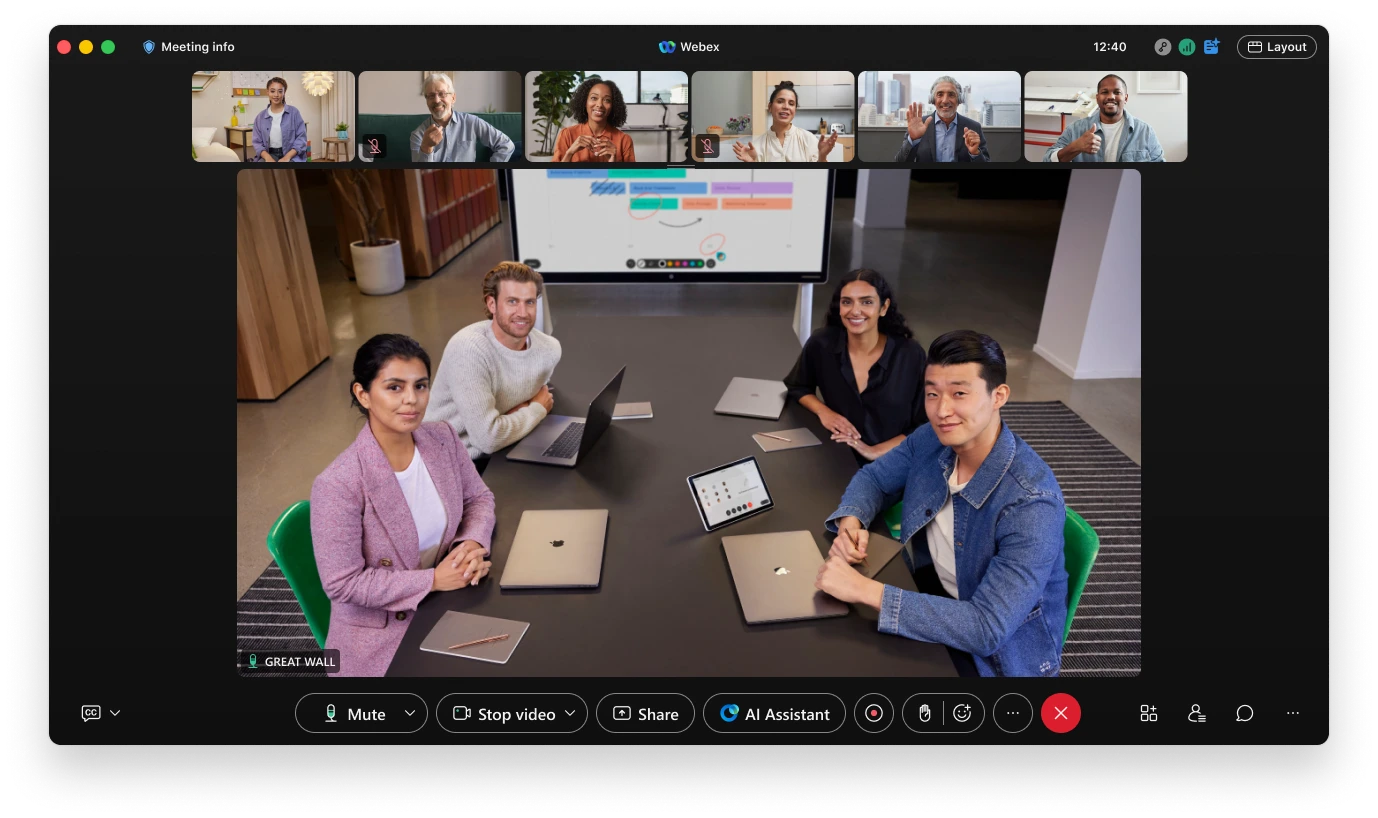

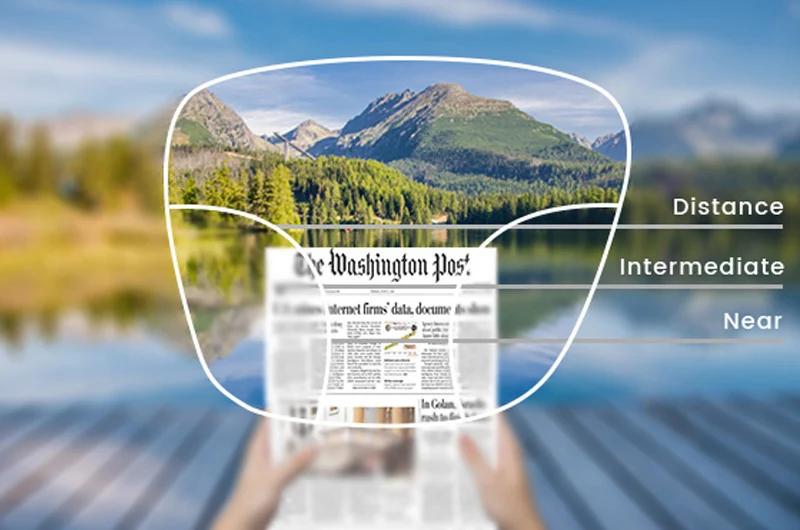
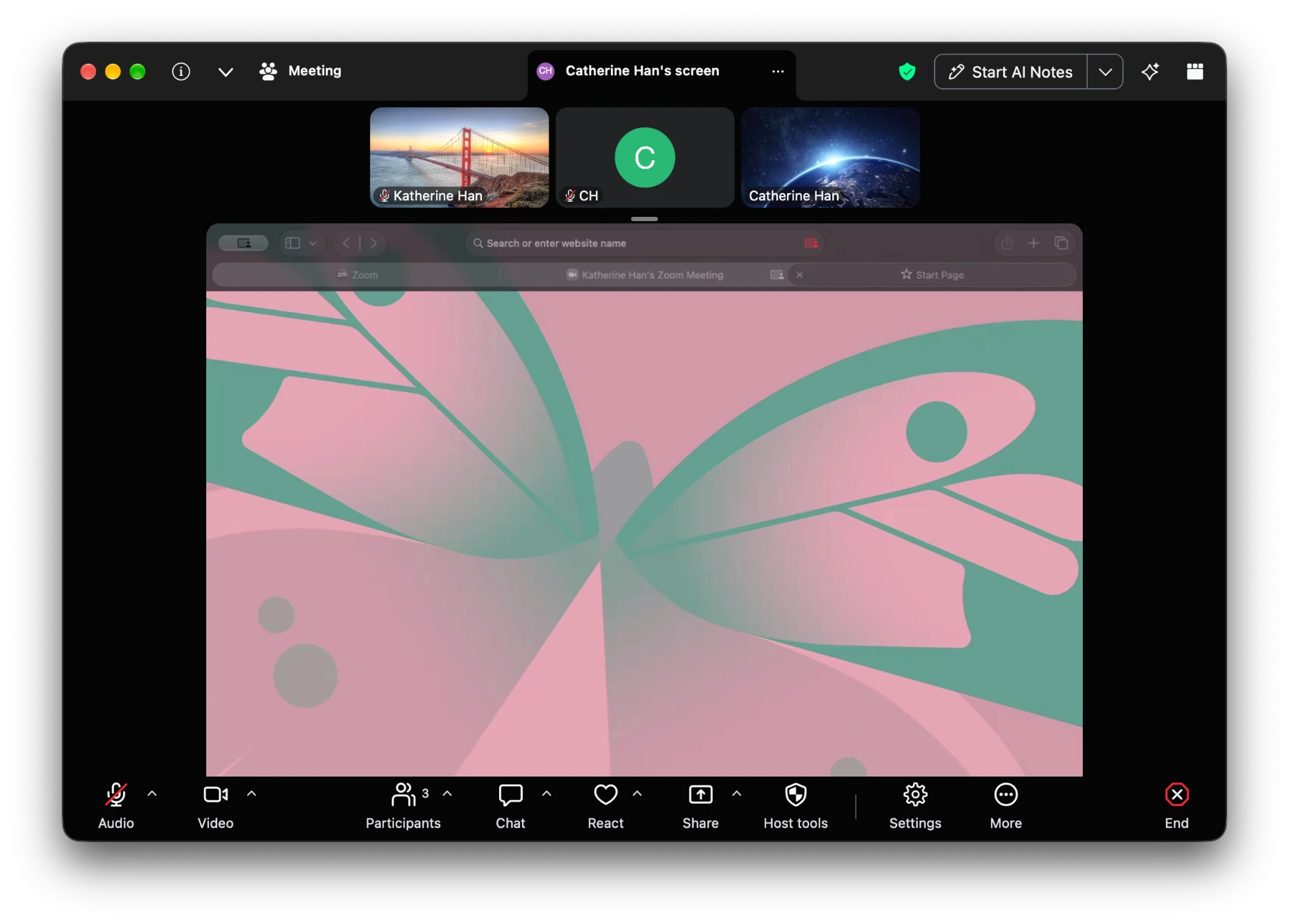
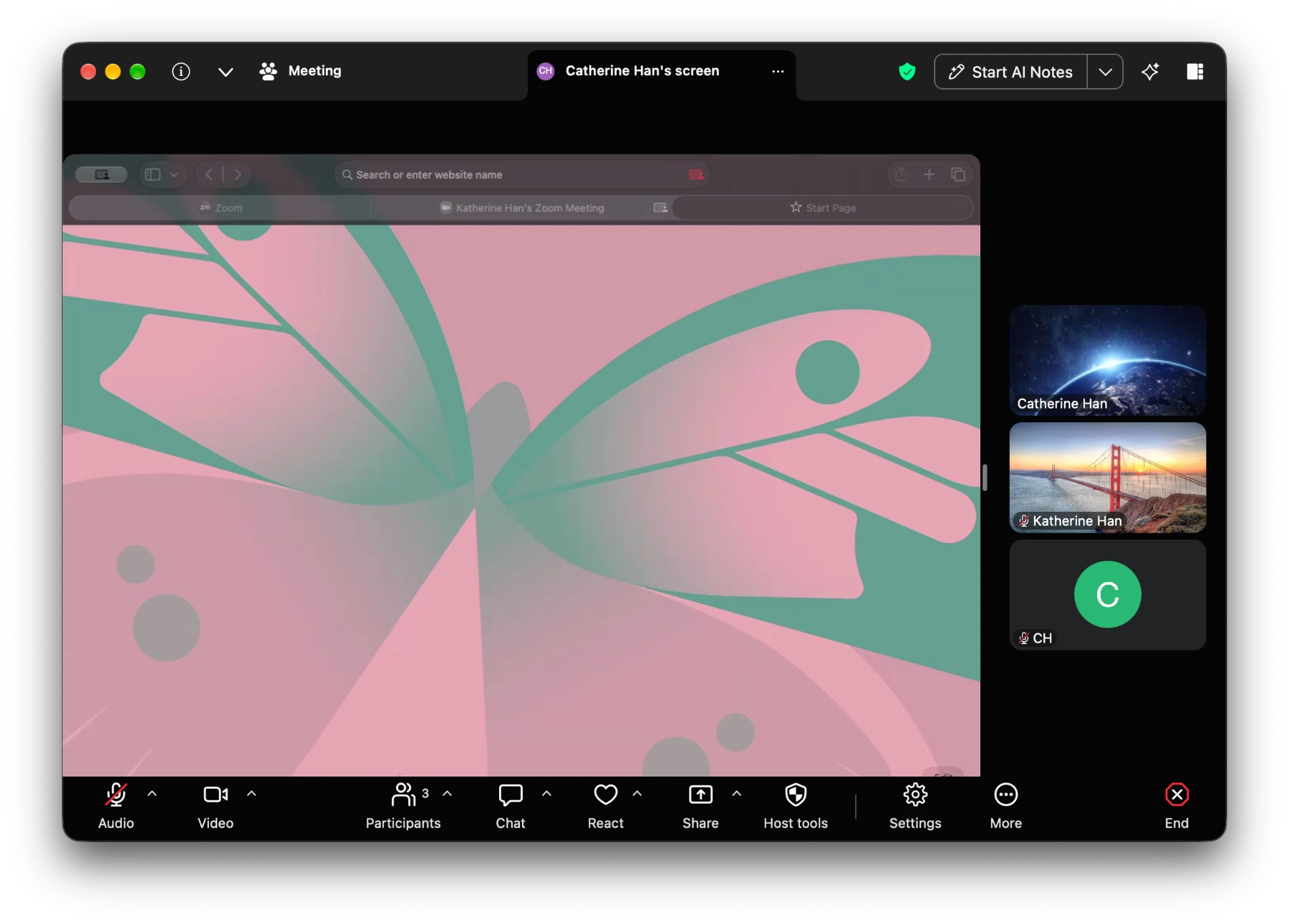
All three online meeting apps limit the filmstrip to the top or right. Without a bottom placement option, they can’t meet this accessibility need.
 Zoom
 Microsoft Teams
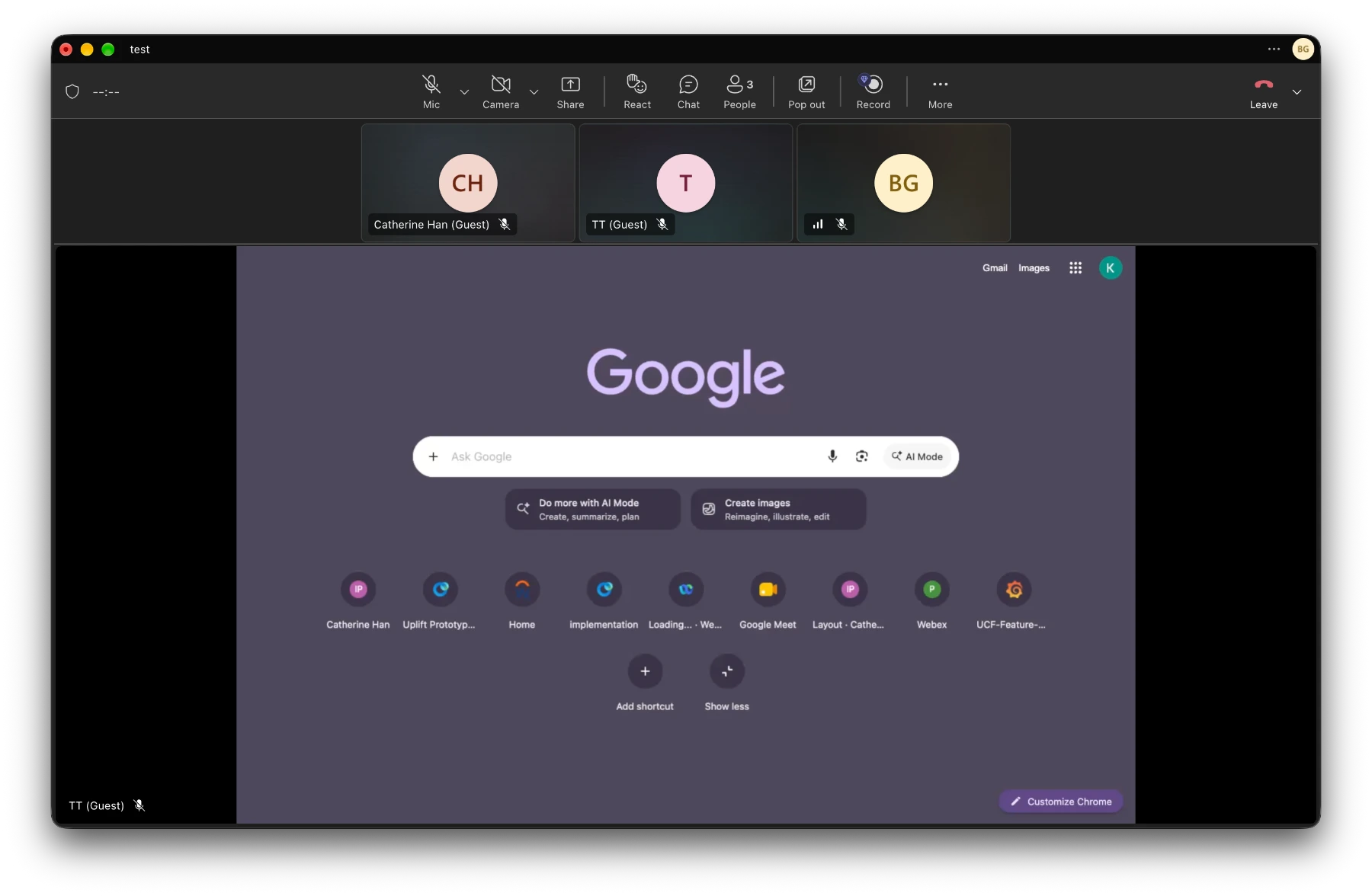
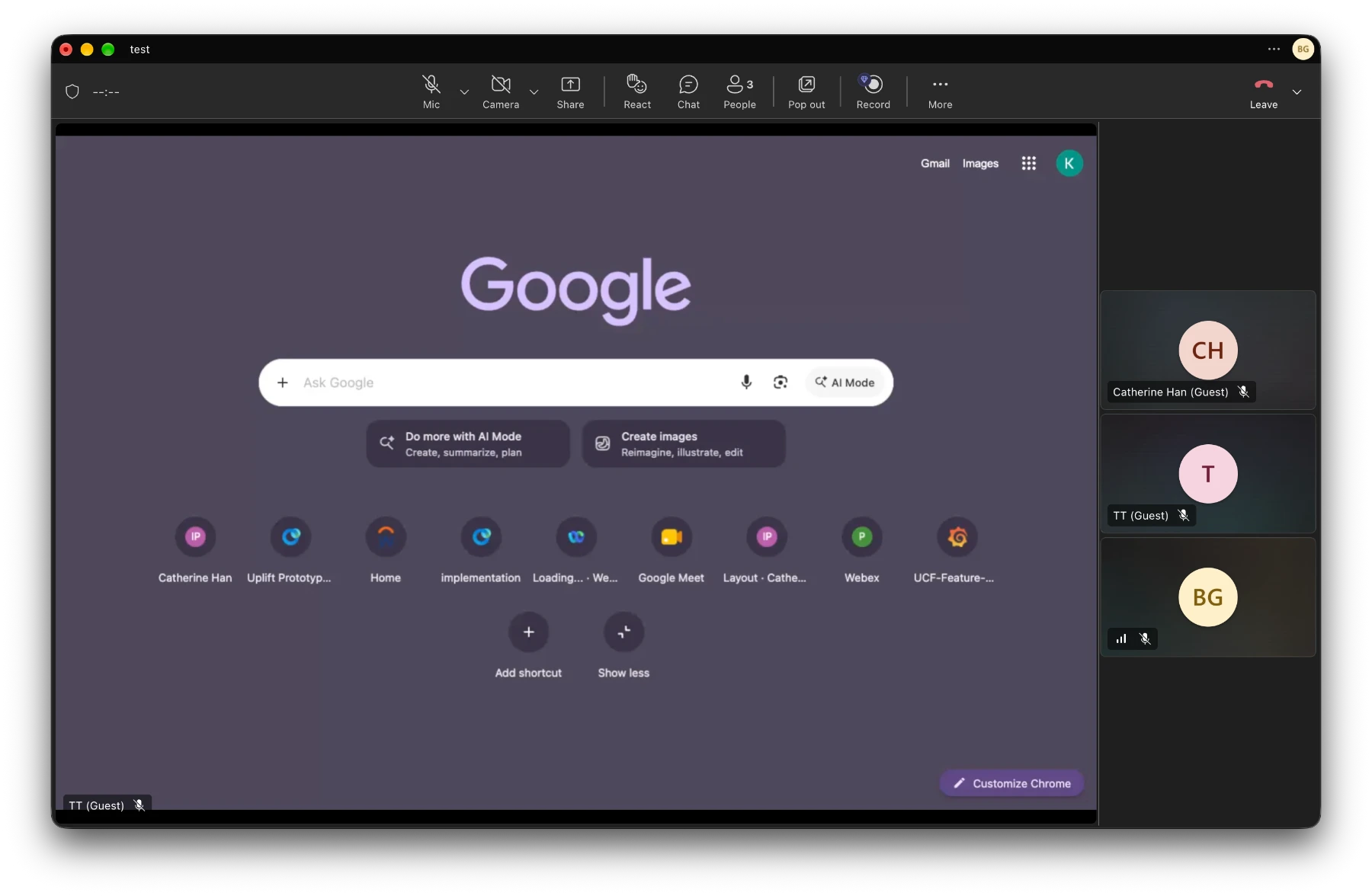
 Google Meet
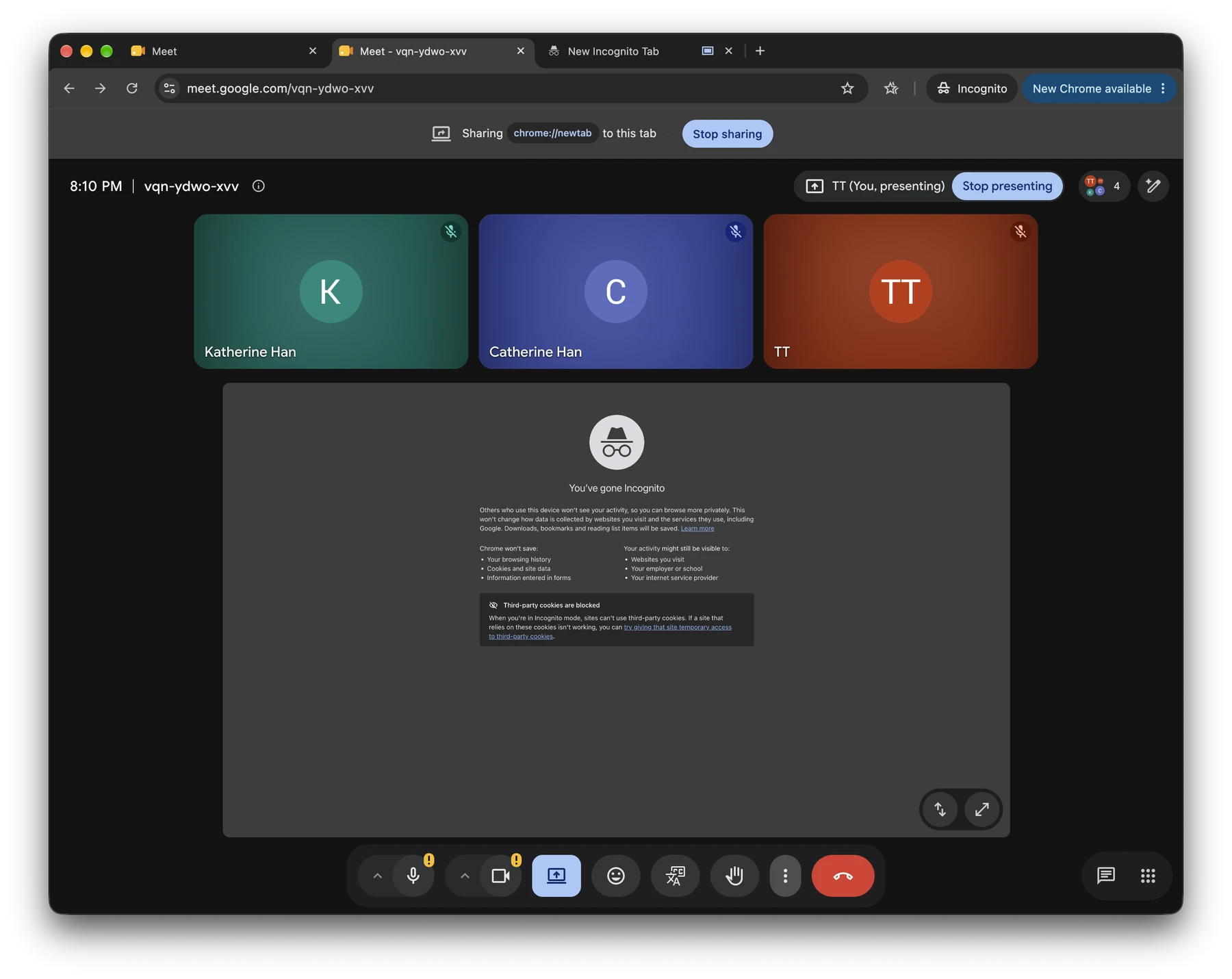
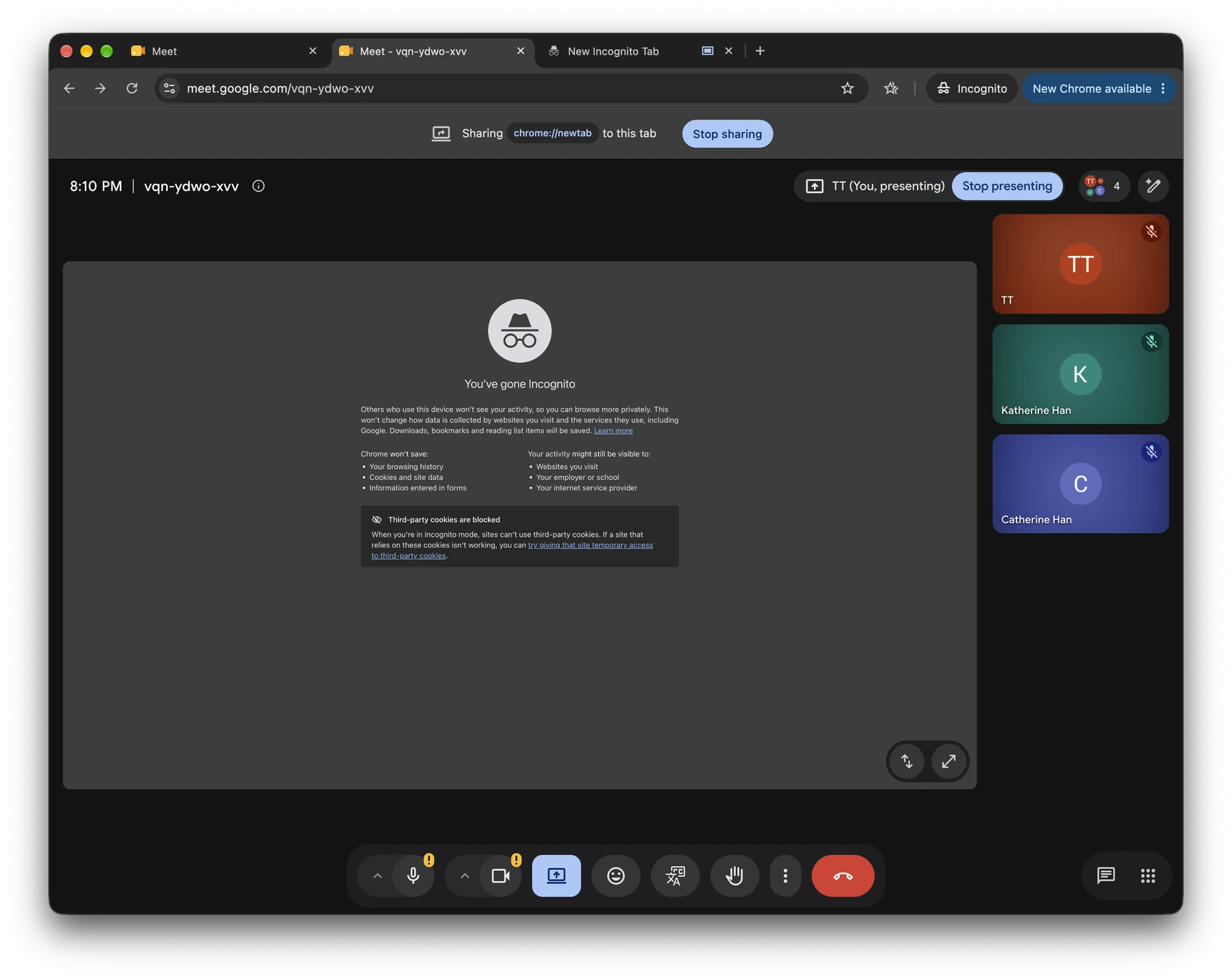
I first built this prototype so people could put the filmstrip where it’s easier to see, including at the bottom. Drag it to any window edge or pick a position in Layout. I made the prototype interactive to explain my design rationale more clearly and make it easier to discuss with the product manager.
After agreeing on the final design with the product manager, I started planning how to bring it into the actual build. Before implementing filmstrip repositioning, I identified which existing features it might affect and which scenarios the implementation needed to handle.
The filmstrip has a pagination button at each end. I had to decide where the drag handle should sit relative to those buttons and leave enough room to use each control.
Resizing the filmstrip can reveal more rows. I had to specify where the handle goes after a resize and how the whole filmstrip docks when dragged.
I defined the drag handle’s accessible name and role, its place in the Tab order, and how each arrow key moves the filmstrip to the corresponding edge.
The filmstrip can be resized until it’s fully collapsed. I needed to check whether it could still collapse completely at its new docking edge after being moved.
I had to define how the filmstrip follows the pointer, how it signals a docking edge, and how it settles into place after release.
I needed to decide whether the filmstrip’s last docking position should carry over to the next meeting. If I move it to the bottom in one meeting, should it open there when I join the next?
To bring the prototype’s interactions into the build, I tried different approaches and learned from testing and refining the implementation.
I described the drag interaction in natural language. The build showed no filmstrip background, drag handle, or drag indicator, so I couldn’t see the interaction.
I suspected the nested containers were hard to describe in text. AI followed my prototype’s layer structure and drag logic to produce an initial version of the interaction.
There was no visual transition when dragging the filmstrip. It jumped straight from the top of the meeting window to the bottom.
Engineering explained that the video component’s structure couldn’t support the same animation. I changed the transition so the whole filmstrip appears at its destination while a subtle animation plays at its original position.
I implemented the interaction based on the prototype. Testing it in the build showed that the drag area’s activation and feedback needed adjustment.
I tested the interaction repeatedly in the build and fine-tuned the drag area until it was easier to tell when it was active.
I implemented the movable filmstrip in the Webex Meetings macOS build. The engineering team reviewed the implementation and confirmed the feature worked in the build.
I asked AI to list test cases, then ran each one manually. I asked engineering if there was a faster way. They said open-source skills couldn’t replace manual testing for the product’s more complex scenarios. The team is already building its own testing tools.
I’d bring engineering into the prototype phase to check which interactions the existing components can support. We could agree on fallbacks early and spend less time reworking the implementation.
I’d like to see whether the drag feedback, docking cues, and release transition could become a reusable pattern for other features that let people drag and dock content.
The working prototype gave AI a concrete reference for the background layer, the drag, and the drop. It made each of those decisions easy to check in the build.
I had to specify focus order, accessible labels, and a keyboard way to make the same choices. Those details are part of making the feature usable in a real meeting.
The video component couldn’t support the prototype’s animation. I showed the full filmstrip at its new edge and added a subtle animation at the original edge so the position change was easier to follow.
AI helped me list test cases. Testing in the build revealed issues as I resized, paged through, and dragged the filmstrip. The handle could drift off center or conflict with the pagination buttons, and the drag area needed more tuning.